State:New|TargetRelease:No Target|icon_bug|database:public|icon_mari|Resolution:Fixed|BugID:284181|
Search in
Please sign in to access the Bug Tracker
Problem summary
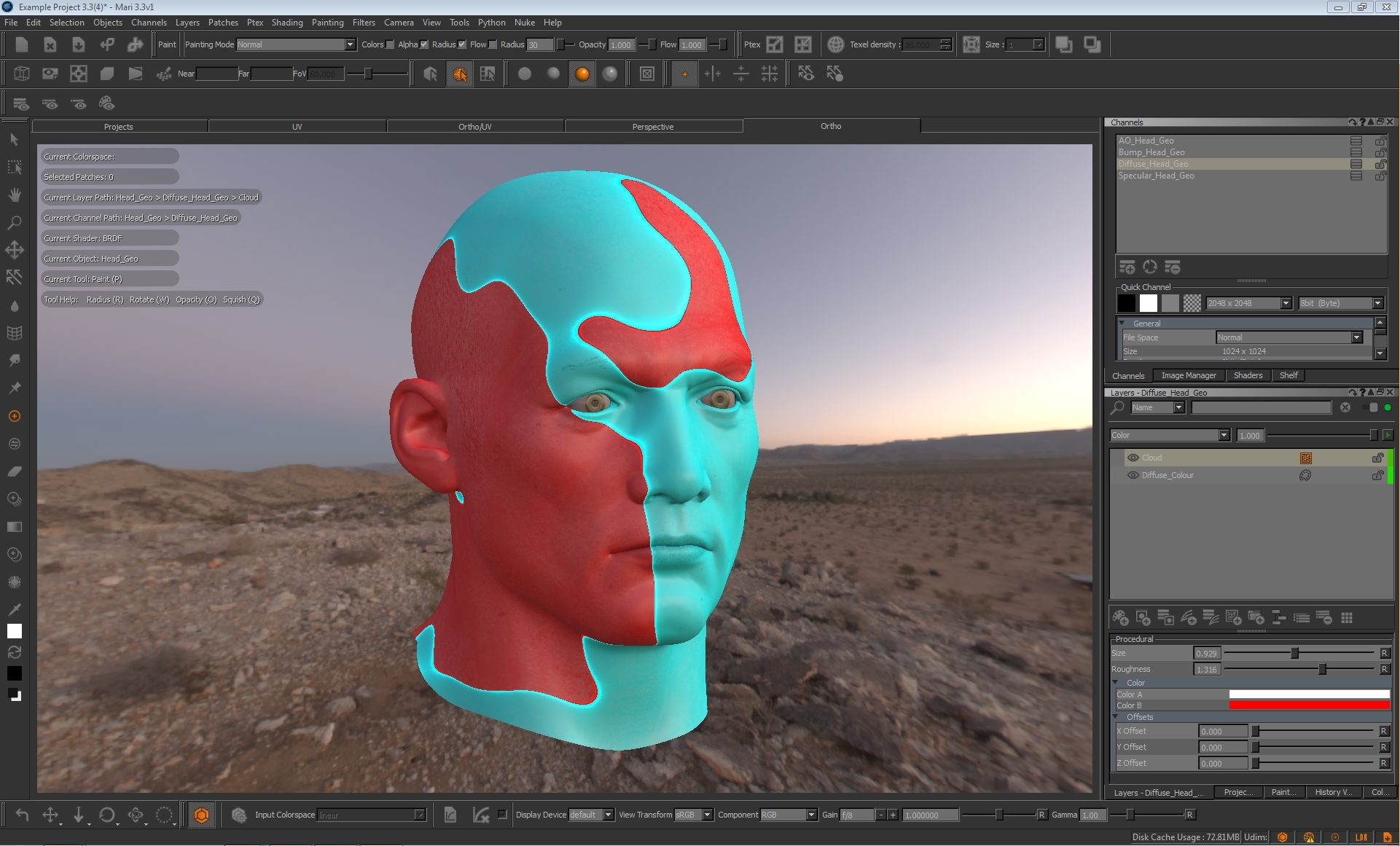
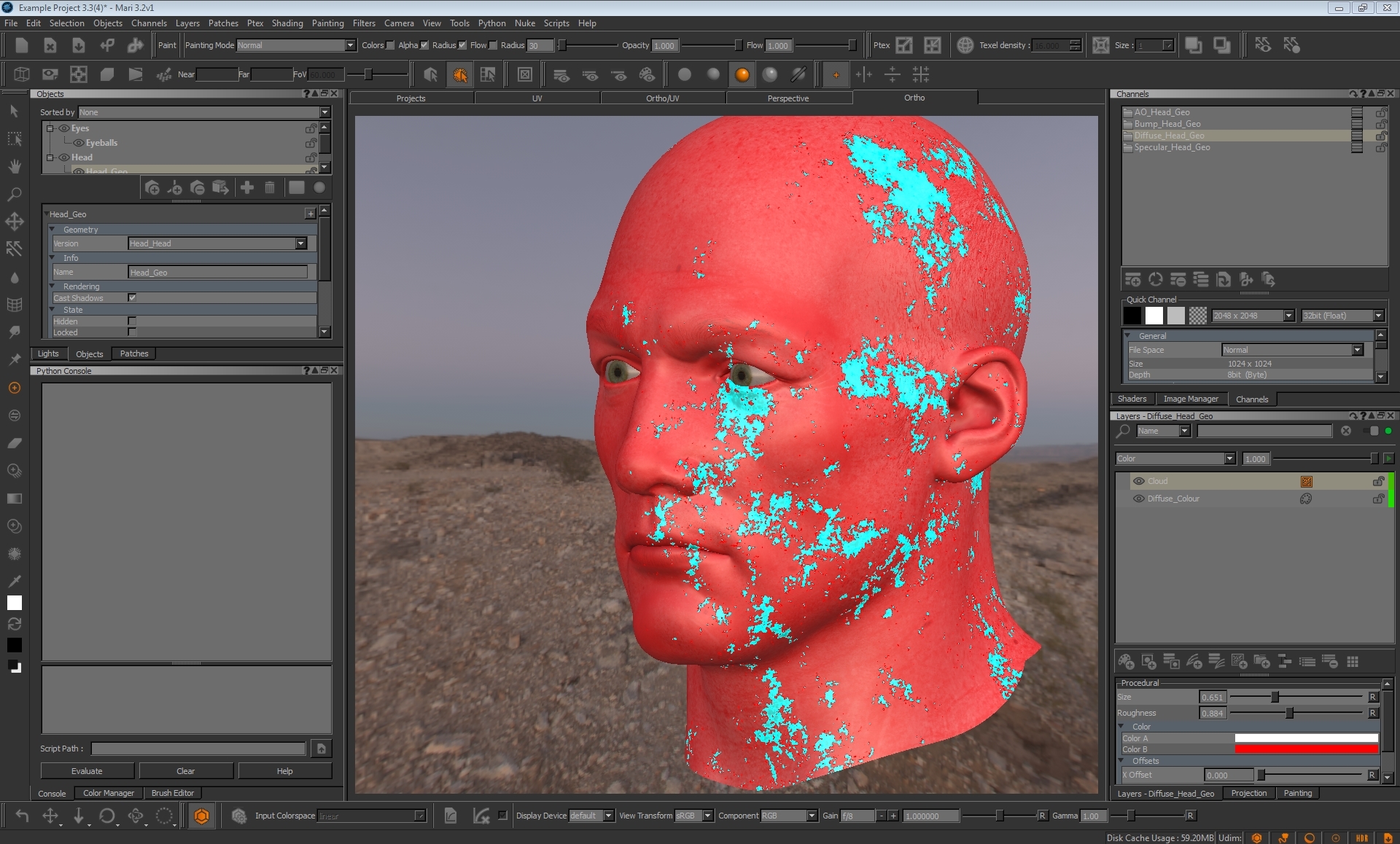
Assigning the 'Color' blend mode to a procedural cloud layer causes 'corrupt' artefacts in the viewport.
Customer reported version
3.3v1
Customer reported platform
OSX
Steps to reproduce
1) Open mari
2) Create a Cloud procedural layer in your layerstack. Set Color B to a bright colour such as red.
3) Change the layer blend mode to 'Color'
4) Adjust the Size and Roughness sliders and watch the artefacts appear
Workaround
Unknown.
Reproduced by support
3.3v1, 3.2v1, 3.1v3, 3.1v1, 3.0v4, 3.0v1, 2.6v5
Windows 7, OS X 10.12.4, CentOS6
*Earliest version tested: 2.6v5*
Not tested further back
Expected behaviour
Color blend mode should behave as it does in Photoshop (see below image) with no strange artefacts

Actual behaviour
Artefacts were created as though representing the red areas of the Cloud procedural but did not react as expected.
Assigning the 'Color' blend mode to a procedural cloud layer causes 'corrupt' artefacts in the viewport.
Customer reported version
3.3v1
Customer reported platform
OSX
Steps to reproduce
1) Open mari
2) Create a Cloud procedural layer in your layerstack. Set Color B to a bright colour such as red.
3) Change the layer blend mode to 'Color'
4) Adjust the Size and Roughness sliders and watch the artefacts appear
Workaround
Unknown.
Reproduced by support
3.3v1, 3.2v1, 3.1v3, 3.1v1, 3.0v4, 3.0v1, 2.6v5
Windows 7, OS X 10.12.4, CentOS6
*Earliest version tested: 2.6v5*
Not tested further back
Expected behaviour
Color blend mode should behave as it does in Photoshop (see below image) with no strange artefacts
Actual behaviour
Artefacts were created as though representing the red areas of the Cloud procedural but did not react as expected.
We're sorry to hear that
Please tell us why