State:Closed|icon_bug|database:public|icon_mari|Resolution:Fixed|TargetRelease:4.6v1|BugID:360080|
Search in
Please sign in to access the Bug Tracker
Problem summary
Importing an object with out of range UVs no longer displays a Data Load warning
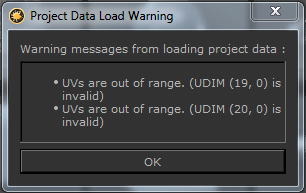
Customer reported version
Customer reported platform
10.13
Steps to reproduce
1) Launch Mari
2) Create a new project with the attached geometry which contains UV's outside of the UDIM range
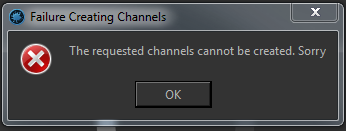
3) Notice that the following error appears but you are no longer prompted with the UV out of range dialog:
Workaround
Unknown.
Reproduced by support
This bug has been reproduced in:
Mari 4.1v1 - Win 7, CentOS 7.5
Mari 4.0v4 - Win 7
Mari 4.0v3
Mari 3.4v1 - Win 7, CentOS 7.5, OSX 10.12.4
Earliest version tested
Last working version 4.0v2
Last working version 3.3v1
Expected behaviour
You should be prompted with a dialog that explains that your UVs are out of range so that you know what to adjust in your project.
Actual behaviour
The project is created but the warning is not returned meaning that debugging what has gone wrong can be difficult.
We're sorry to hear that
Please tell us why