State:New|TargetRelease:No Target|icon_bug|icon_nuke|database:public|Resolution:Fixed|BugID:504012|
Search in
Please sign in to access the Bug Tracker
Problem summary
Sampling high pixel values in the Viewer will cut off some information from the Viewer Info Bar.
Customer reported version
Nuke 13.1v2
Customer reported platform
Windows 10
Steps to reproduce
1) Launch Nuke.
2) Create a Constant node.
3) Set the Constant's color knob to 100.
4) Mouse over the image in the Viewer and notice that the Level value is cut off:

Expected behaviour
The Viewer Info bar should always display all of the pixel information.
Actual behaviour
Sampling high pixel values in the Viewer will cut off some values from the Viewer Info Bar.
Workaround
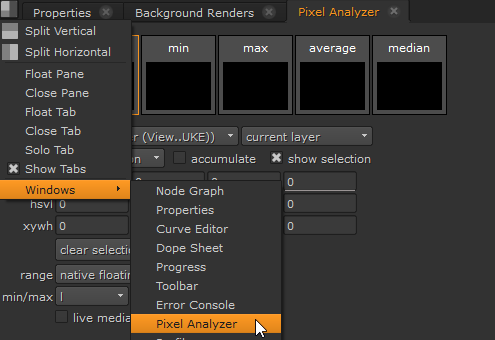
You can also view the HSVL values in the Pixel Analyzer, which is accessed from the contents menu Windows sub-menu.
Reproduced by support
This bug has been reproduced in:
Nuke 13.1v3 - Windows 10 - Linux CentOS 7 - macOS 10.15 (Catalina)
Nuke 12.0v1 - Windows 10 - Linux CentOS 7 - macOS 10.15 (Catalina)
Nuke 9.0v1 - Windows 10
Earliest version tested
Nuke 9.0v1
- This issue appears to be in all versions of the product
We're sorry to hear that
Please tell us why